App Store Trending Searches Export
Export App Store search trends for the specific day in a single dashboard
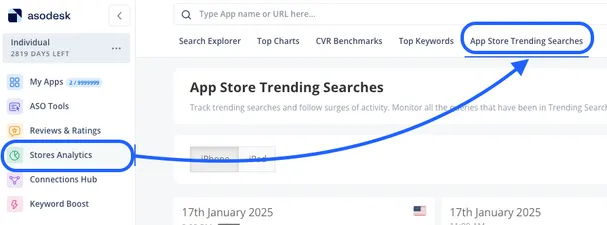
You can access App Store Trending Searches from Stores Analytics:
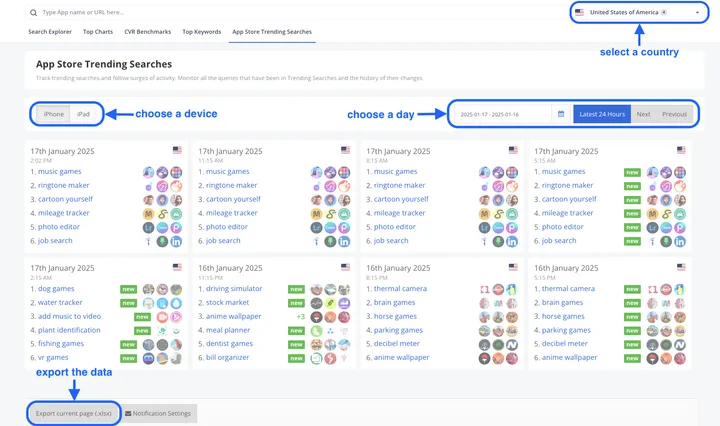
- Select the country from the drop-down menu at the top of the page.
- Switch between iPhone or iPad depending on your needs.
- Select the date. It is also possible to select ‘Next’ or ‘Previous’ day.
- To export data, click on ‘Export current page (.xlsx)’ at the bottom.
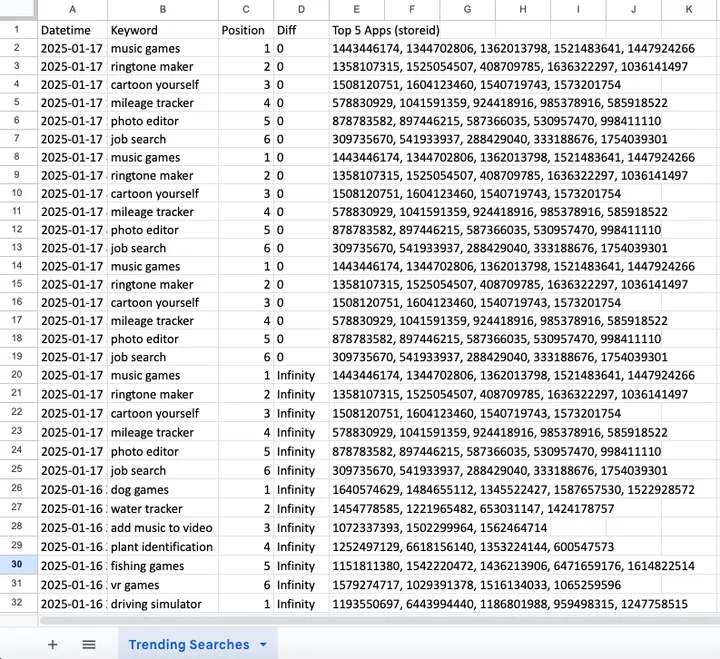
This is what it’ll look like in Excel:
Need help understanding our products or services? Have a question? Let us know!
Click the support icon in the bottom right corner or write on hello@asodesk.com
Was this helpful?