Promotion Codes
To use a promotion code:
- Go to Plans page;
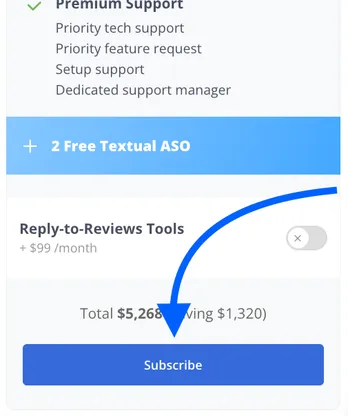
- Select a plan that suits your needs and click on Subscribe;
3. On the payment page, click “Use Promotion Code” and enter the code in the text box. 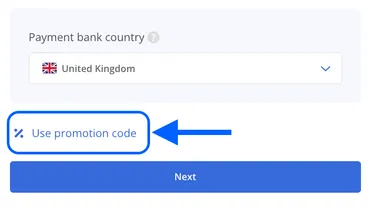
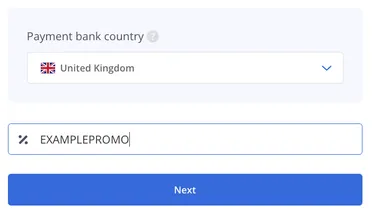
4. Click “Next” and proceed to payment.
Need help understanding our products or services? Have a question? Let us know!
Click the support icon in the bottom right corner or write on hello@asodesk.com
Was this helpful?