Categories Ranking Export
Data export from Categories Ranking Tool in Asodesk
You can download data from the Categories Ranking tool and then use your preferred software to create custom charts and dashboards based on your goals and needs.
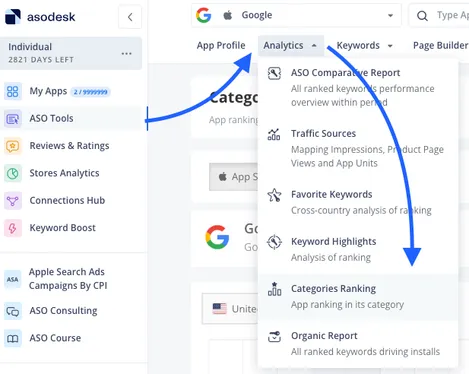
To access the Categories Ranking tool, go to ASO Tools and select Analytics → Categories Ranking from the top menu:
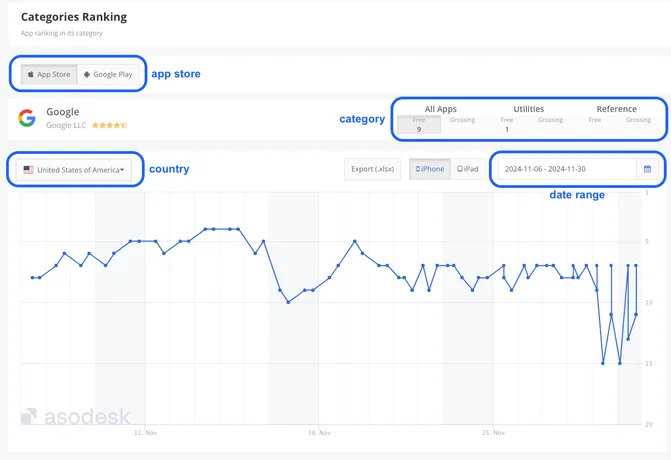
Before you export your data, select the application, category, date range and app store:
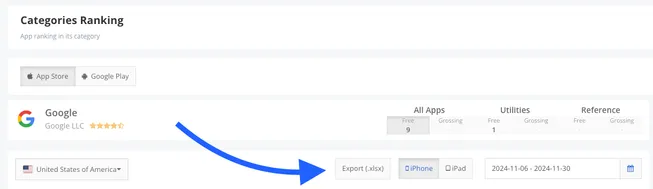
Then, click on ‘Export’:
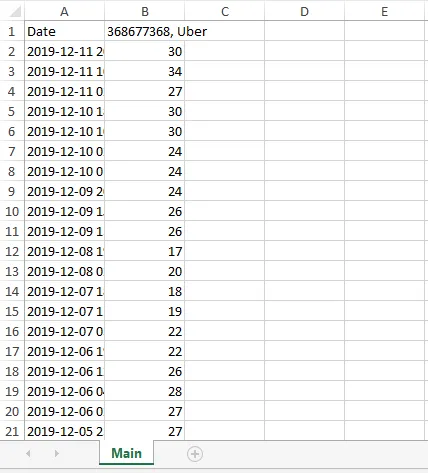
How it will look like in Excel?
Need help understanding our products or services? Have a question? Let us know!
Click the support icon in the bottom right corner or write on hello@asodesk.com
Was this helpful?