Top Charts
Study top apps across the market or within specific categories to stay updated on key mobile app trends.
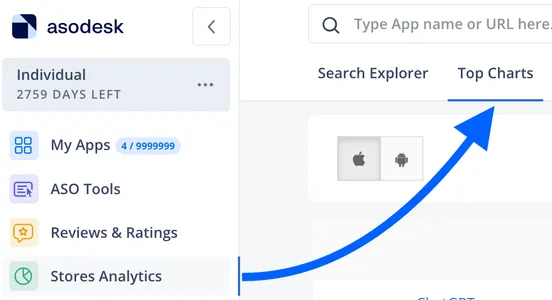
To access Top Charts, go to Stores Analytics and select Top Charts from the top menu:
On the page, you can select a country, an app store and a specific app category to see a list of the most popular and highest-rated applications in your chosen category.
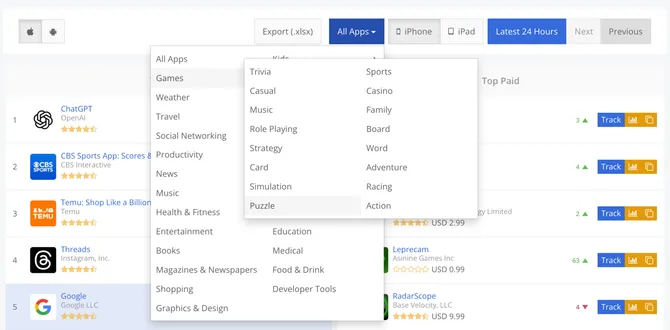
Whether you are looking for the most popular games or essential productivity tools, this feature will help you discover the best apps on the market.
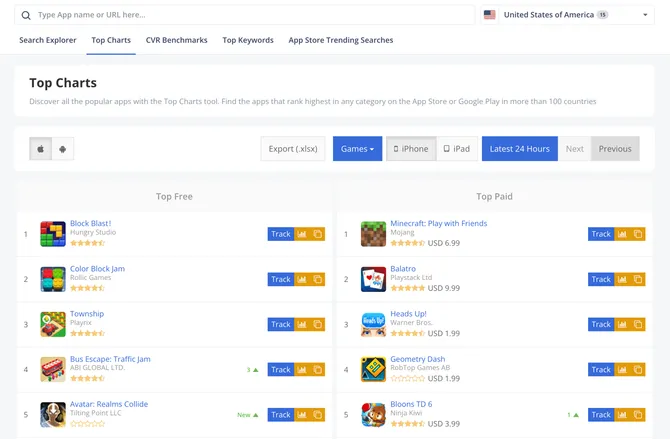
You can also export data from Top Charts for further analysis.
Need help understanding our products or services? Have a question? Let us know!
Click the support icon in the bottom right corner or write on hello@asodesk.com
Was this helpful?