Tags
Sort reviews using tags.
Tags are keywords or phrases that categorize reviews based on specific themes or topics, making it easier to identify patterns and trends.
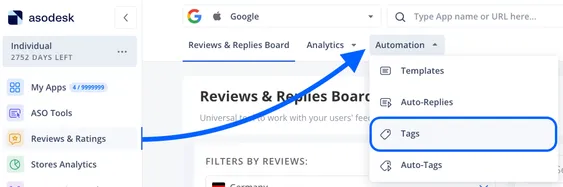
To access Tags, go to Reviews & Ratings and select Automation → Tags from the top menu:
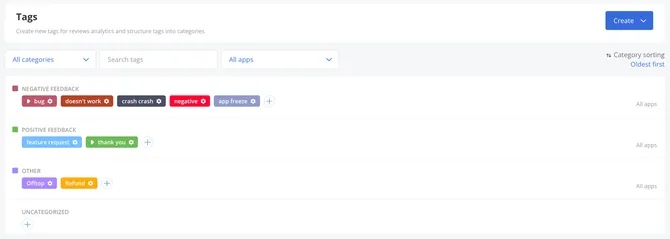
Create your own custom tags to meet your specific requirements.
By organizing these tags into relevant categories, you can streamline the sorting process and quickly access the information most relevant to your analysis.
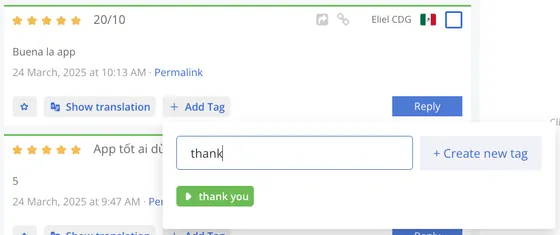
To tag a review, simply click the Add Tag button in the Reviews & Replies Board.
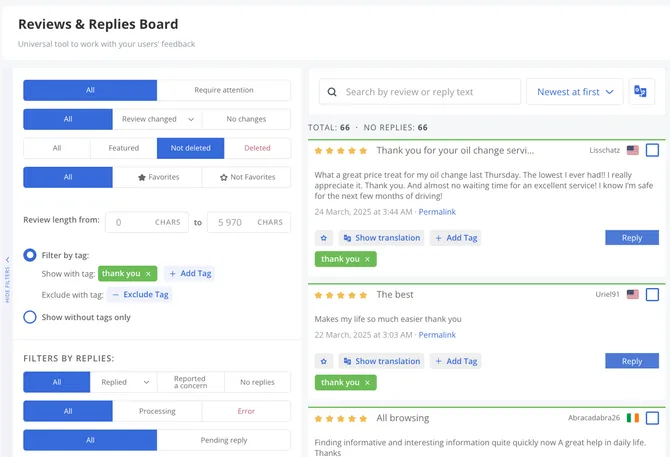
In the filters, you can select specific tags and see reviews tagged with them.
This organized approach not only saves time, but also allows you to more effectively respond to user concerns and improve your application based on insightful feedback.
You can also streamline the tagging process by using the Auto-Tags feature, which automatically assigns tags based on predefined criteria.
Need help understanding our products or services? Have a question? Let us know!
Click the support icon in the bottom right corner or write on hello@asodesk.com