
|
In this article: |
Overview
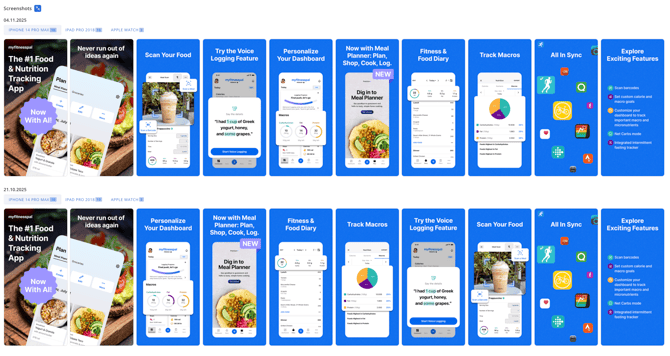
App Update Timeline allows you and your team to see at a glance when and what metadata (title, description, screenshots, icon, price, and more) has been updated, both in your own apps and those of your competitors.
This greatly simplifies analysis: you get a transparent release history, the ability to compare updates with changes in visibility, downloads, and reviews, and track strategic moves in the market. With App Update Timeline, you get a tool for finding ASO hypotheses to optimize your app page.
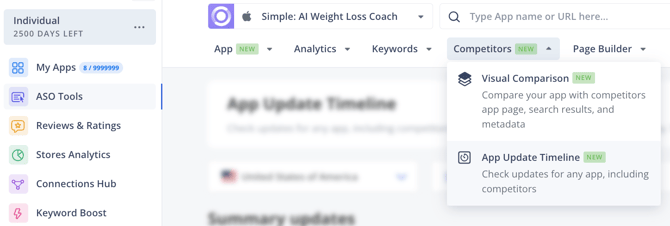
To access the tool, go to ASO Tools and select Competitors → App Update Timeline from the top menu:
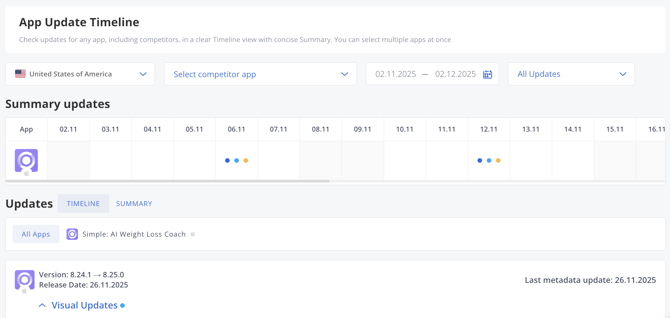
There are three types of updates in App Update Timeline:
- Metadata update (Name, Subtitle, Short Description, Description, Promo Text, What’s New)
- Visual Updates (Icon, Screenshots, Video Preview)
- Technical Updates (Build Size, In-app Purchases, Developer Name, Categories)
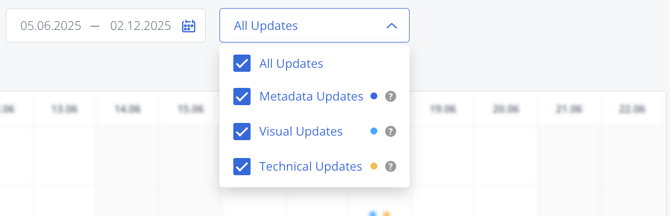
The types of updates can be flexibly configured: show all or only selected ones.
A single timeline for competitors
In App Update Timeline, you can view the update feed for any number of competitors.
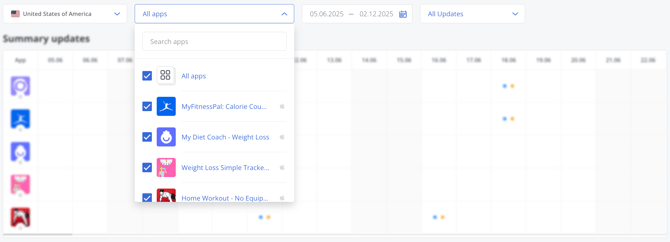
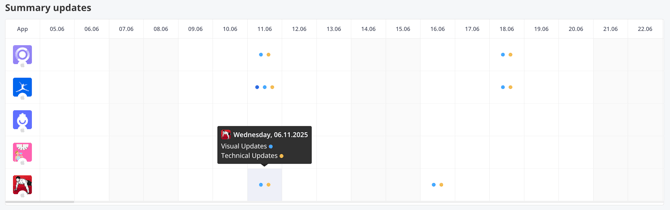
Summary updates
This section contains a table showing update groups for the selected time period. Each colored circle indicates the type of update: Metadata/Visual/Technical Updates.
Updates
A section that displays update groups in detail. You can view all apps at once or each app separately.
There are two viewing modes: Timeline and Summary.

Timeline mode
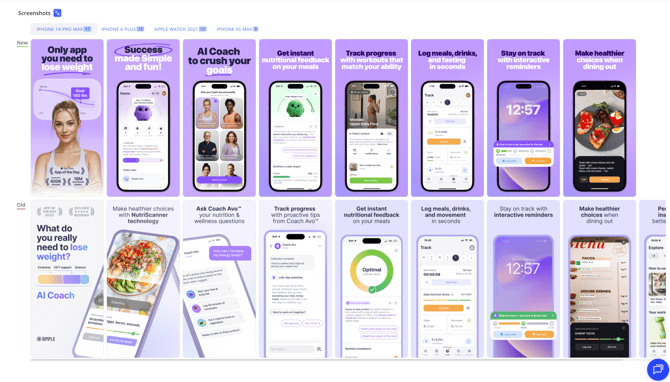
Each update is a card where changes are grouped by type.
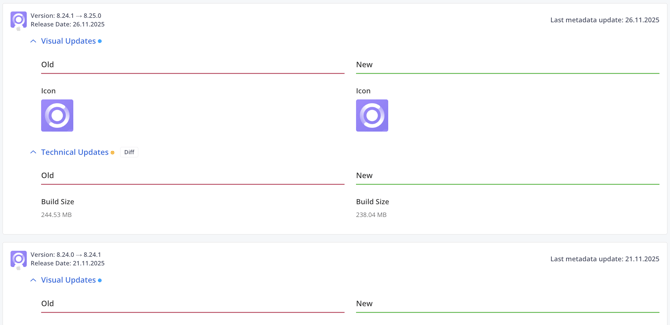
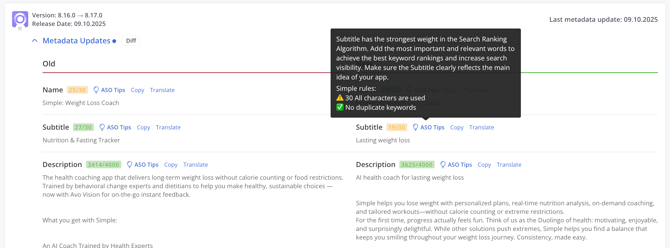
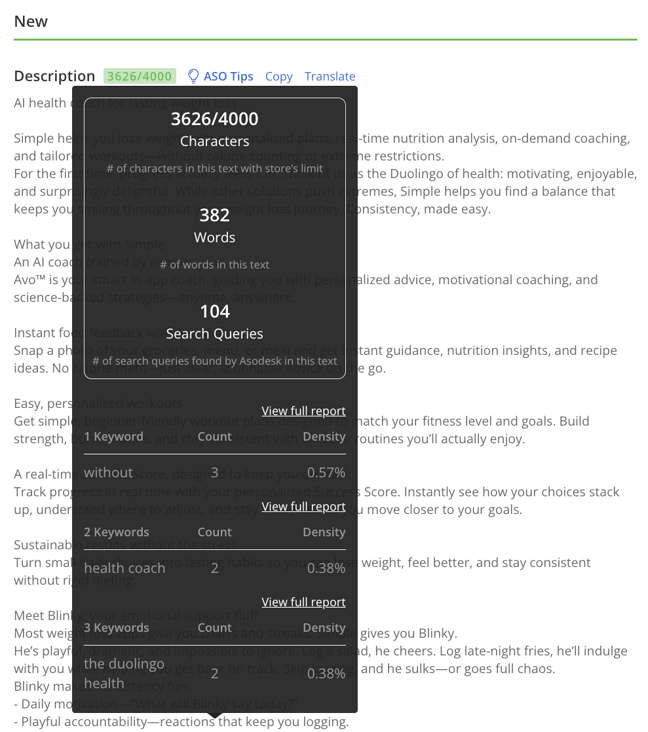
ASO tips with rules and limits are available for text fields from the Metadata update group.
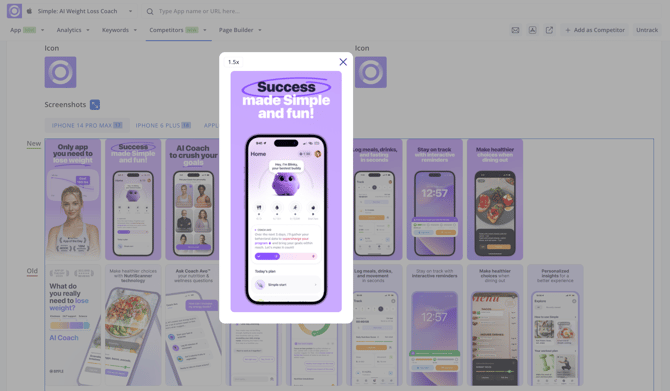
Icons and screenshots can be compared in full screen mode with individual zoom for each.
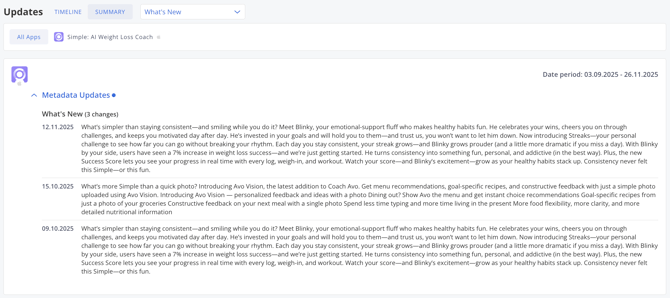
Summary mode
In Summary mode, you can view all changes that have been made to the application during the selected time period.
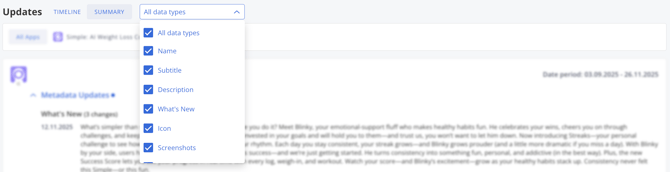
This mode features an advanced filter by application metadata type.
App Update Timeline is available starting from the ASO Pro plan.
Need help understanding our products or services? Have a question? Let us know!
Click the support icon in the bottom right corner or write on hello@asodesk.com